Software engineered for industries that cannot afford to get it wrong.
KundaliLabs partners with organisations in fintech, healthcare, and automotive to design, build, and ship software that holds up to real-world scale, scrutiny, and regulation.
Domain depth, backed by serious engineering.
We work in a focused set of industries and go deep in each one, pairing genuine domain understanding with disciplined engineering to deliver systems teams can depend on.
Fintech
Payments, lending, and financial analytics engineered to be secure, auditable, and compliant, with the infrastructure to support them at scale.
Healthcare
Clinical and diagnostic tools engineered for accuracy, patient privacy, and the realities of day-to-day practice, where reliability is not optional.
Automotive
Data-rich platforms that bring clarity to how people evaluate, buy, own, and manage vehicles, making the entire experience measurably simpler.
A deliberate approach to building.
01 Understand the domain
We invest in understanding the business, its users, and its constraints before writing code, so we solve the real problem rather than the obvious one.
02 Design with intent
Interfaces that feel effortless to the people who rely on them every day, with the details that earn trust and respect their time.
03 Engineer to endure
Secure, tested, and maintainable systems, built to be depended on long after launch rather than only to demonstrate well.
Have a project in mind?
Whether you are starting something new or strengthening a system you already run, we would be glad to discuss it.
Products we've designed, built, and shipped.
Each product below is engineered end to end by our team to solve a specific, real-world problem in its industry.
Interested in our products?
Reach out to learn more, request a demo, or discuss a partnership.
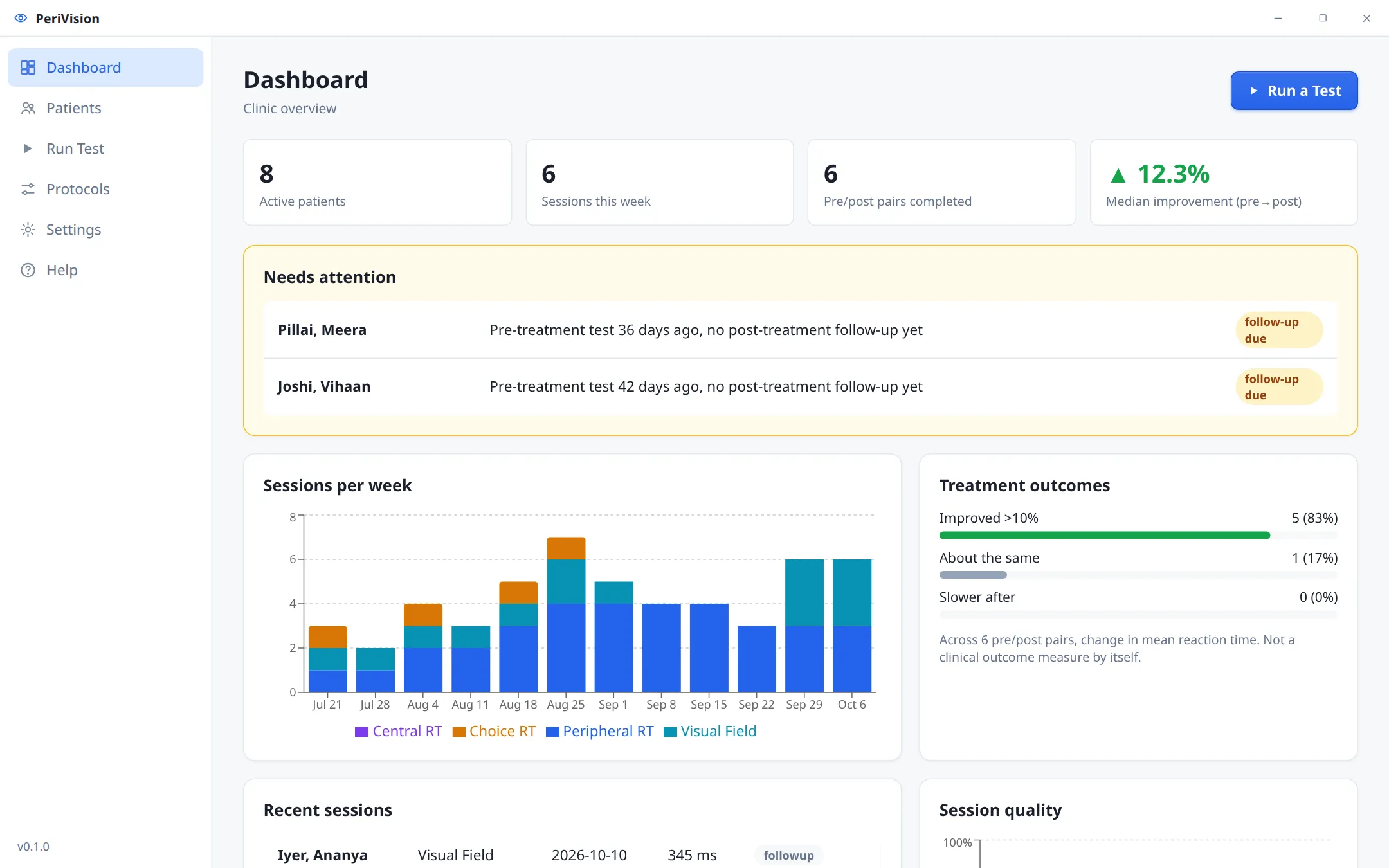
PeriVision
Measure peripheral reaction time and screen the visual field in minutes, then show every patient their progress in clear numbers and charts. Runs fully offline on your clinic computer.
- Every feature free for 3 months
- No card, no sign-up
- Windows, macOS & Ubuntu
Built for practices that measure progress.
Vision therapy & optometry
Record a baseline, test again after treatment, and show the patient and their family a percentage improvement they can see.
Sports vision & rehab
Track peripheral awareness and choice reaction time for athletes, or for patients recovering from concussion and neuro conditions.
Research labs
Seeded, reproducible trial sequences, catch trials and per-trial CSV export that stays compatible with existing PsychoPy analysis scripts.
Results your patients understand.
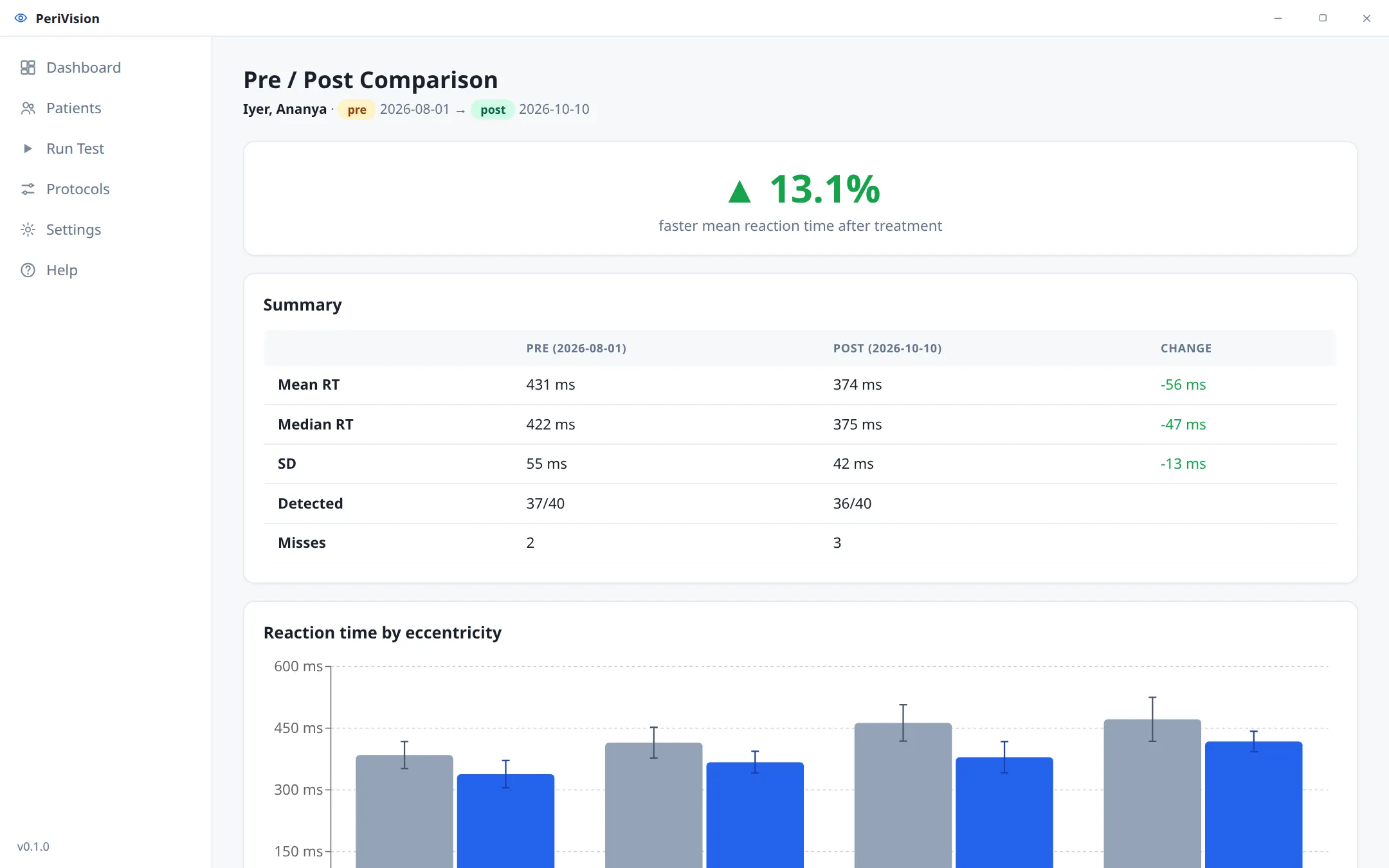
Pre / post comparison
PeriVision pairs each post-treatment test with the matching baseline automatically.
- Headline improvement percentage
- Mean, median and consistency side by side
- Reaction time at every eccentricity
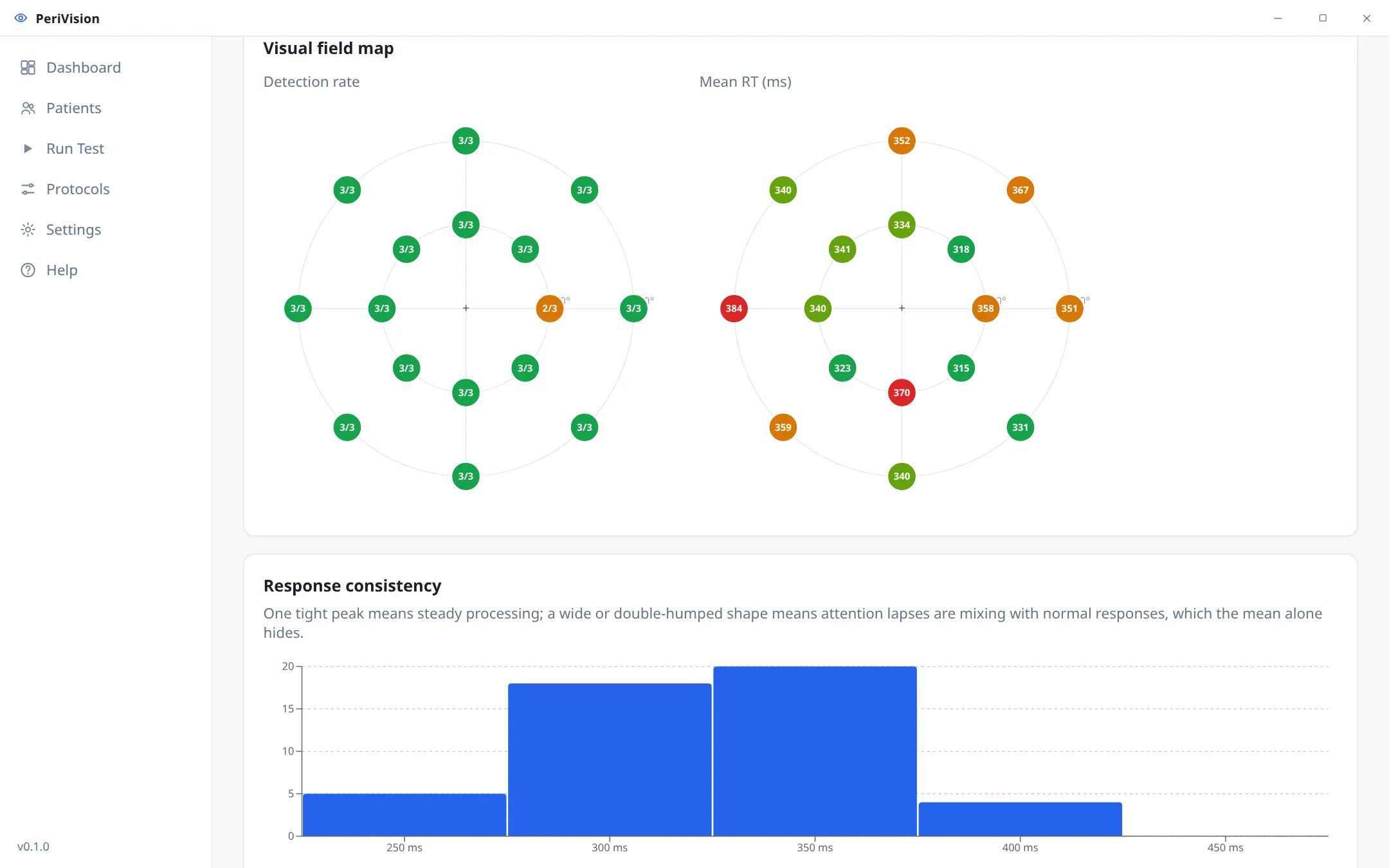
Visual field map
See detection and reaction time at each point of the field, colour-coded so slow or missed areas stand out.
- Positions in degrees of visual angle
- Corrected for screen size and viewing distance
- Response-consistency chart flags attention lapses
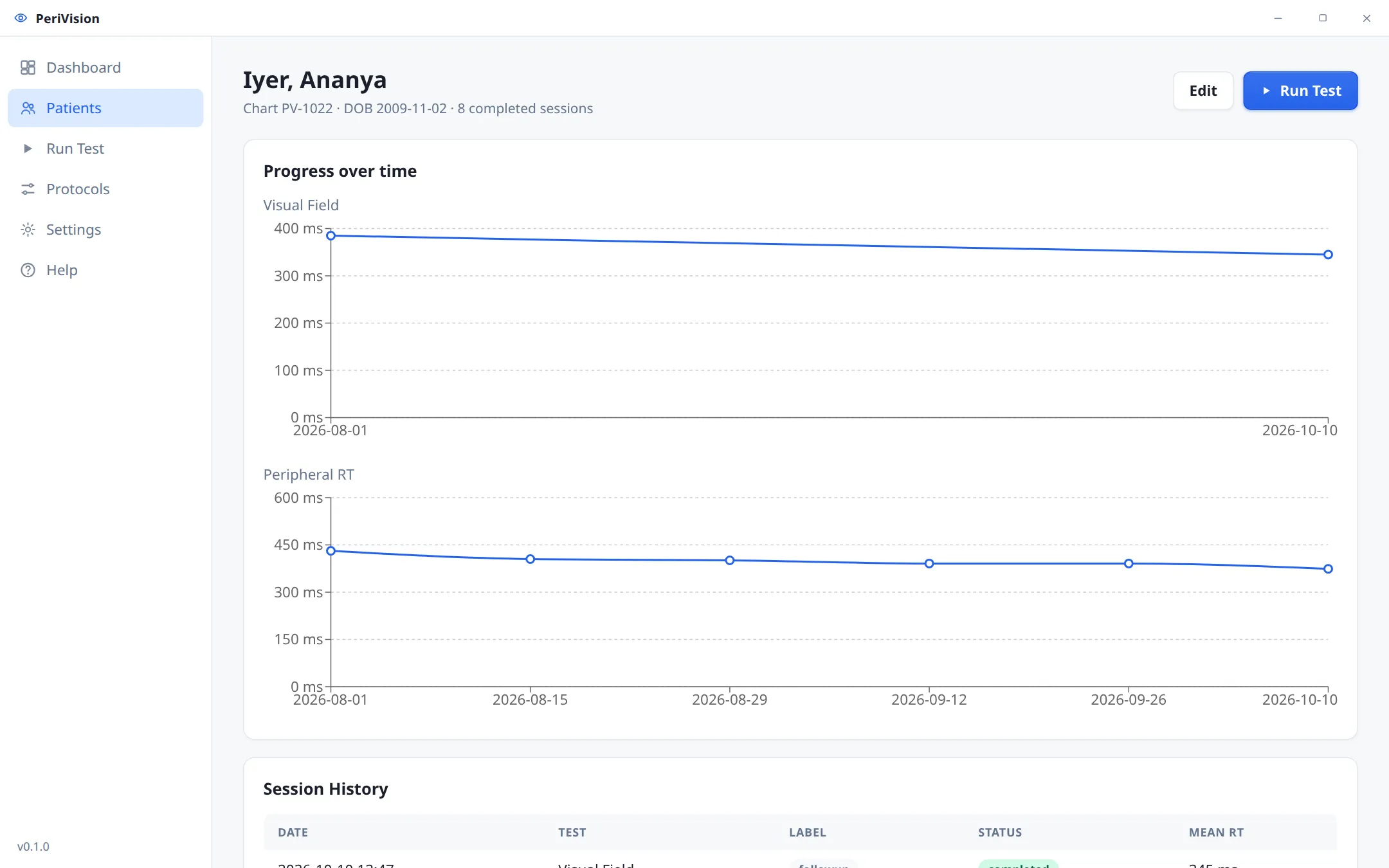
Progress over time
Every session is saved to the patient's record, so you can follow a full treatment course at a glance.
- Trend charts for each test type
- Pre-test sleep and fatigue check
- Clinic-branded PDF report in one click
Everything in one focused application.
Four test types
Peripheral reaction time, central reaction time, visual-field screening and left/right choice reaction time.
Careful timing
Stimuli locked to screen frames, randomised fixation periods, catch trials and anticipation detection.
Guided calibration
A setup wizard measures your screen and viewing distance, and works with monitors or projectors.
Custom protocols
Use the built-in protocols or adjust trial counts, eccentricities and timings to fit your practice.
Reports & exports
PDF reports with your clinic's name and logo, plus standard and extended CSV exports.
Offline & private
Patient data stays in a local database on your computer. No cloud account and no internet needed.
Try everything free. Pay once if it works for you.
- Every test type and feature
- Unlimited patients and sessions
- No card or sign-up needed
- Unlocks PeriVision permanently
- Keeps all trial patients and results
- Activate in seconds from Settings
- Setup help over WhatsApp or video call
Start your free trial.
Choose your platform. The trial starts the first time you open PeriVision.
Frequently asked questions.
Windows or macOS shows a security warning when I install. Is that normal?
Yes. On Windows, click More info and then Run anyway. On macOS, right-click PeriVision in Applications and choose Open the first time. After that it opens normally.
What happens when the 3-month trial ends?
PeriVision asks for a license key. Enter it and everything continues, including all your patients and results. Nothing is deleted.
Where is patient data stored?
In a local database on the computer running PeriVision. Nothing is uploaded, and you can back up or move the database from Settings.
Do I need special hardware?
No. A standard monitor or projector and a keyboard are enough. The calibration wizard adapts the test geometry to your screen size and viewing distance.
Is PeriVision a diagnostic device?
No. PeriVision is a measurement and screening tool. Its results support a professional's clinical judgment and do not replace a diagnosis.
Can I use it in more than one clinic or computer?
Yes. Message us with the number of locations and we'll suggest the right license.
Want to see PeriVision with your own patients?
Message us for a 15-minute demo, pricing, or help setting up in your clinic.